


Solitaire Classic Games
4.6329.00 Reviews
App Specs
- Version
- 1.26.1
- Updated On
- License
- Free
- Downloads
- 500,000+
- Developer
- Ample Wise Studio
- Categories
- Card
- Platform
- Android
Screenshots
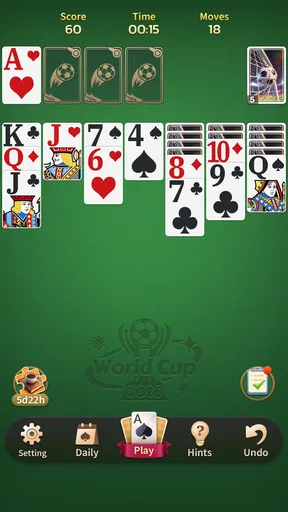
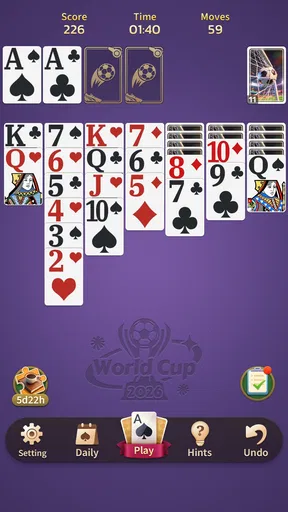
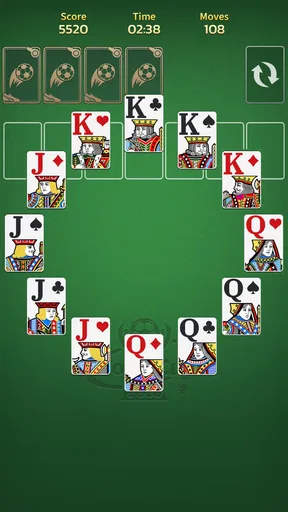
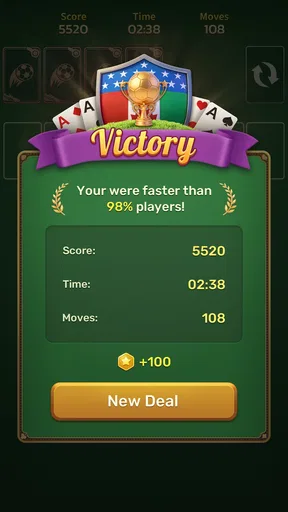


 Analysis by AppCompare
I reach for a solitaire game when I want something I can pause mentally without needing to follow a story, learn a complicated control scheme, or keep up with other players. Solitaire Classic Games is aimed at that familiar, low-pressure kind of play. Its appeal is less about surprising me with a new card system and more about making a well-known pastime easy to pick up on a phone.
A familiar round, played at your own pace
My most useful routine is to treat each round as a small break rather than a score to chase: scan the layout, make the moves that clearly open cards, then pause before tapping through a sequence automatically. That last step matters. Solitaire can look like a reflex game on a touchscreen, but the better decisions often come from noticing which move reveals a useful card and which one merely shifts cards around.
For a realistic everyday use, I can see this fitting into a short wait for a coffee or the few quiet minutes before an appointment. I would start a round only when I have enough time to enjoy a little thinking, not when I need to be ready to respond instantly. The format is easy to put down between turns, which makes it more practical for scattered spare moments than a game that expects sustained attention.
The basic question is whether this is a good fit for a beginner. I think so: the familiar card layout gives newcomers a clear place to start, and a hint can help when the next move is not obvious. More experienced players may get more from setting themselves a deliberate goal for a session, such as making thoughtful moves rather than racing through a deal. That keeps a routine game from becoming just repeated tapping.
Small habits that make play more satisfying
I find it useful to look over the whole tableau before committing to a move, especially when more than one column can be opened. A move that exposes a face-down card can be more valuable than one that simply creates a tidy-looking sequence. When I am stuck, I would use the hint as a prompt to reconsider the board, not as an instruction to follow without thought; it can help restart my attention, but the satisfaction comes from understanding why a move helps.
Another practical habit is to stop a session when I notice myself repeating the same unproductive moves. A quick break is often better than tapping around in the hope that a solution will appear. The statistics can make longer-term play more purposeful, but I would treat wins, losses, and streaks as a personal record rather than proof of skill: card order affects how each game unfolds, and a streak can make casual play feel more pressured than it needs to be.
Settings are worth checking before settling in. The published review describes options for changing card backs and table backgrounds, so I would choose a combination that keeps the cards easy to distinguish rather than picking a look solely for novelty. Comfort and readability matter during a longer session. If a visual choice makes suits or card faces harder to scan, it is not helping, even if the table looks more personal.
Worth Reading Before You Choose

Flipboard Shows What News Apps Must Do Beyond the Feed

Switching to Android Auto Means Rethinking Your Driving Routine

Google Calendar Makes a Crowded Week Easier to Manage

Ludo King Makes the Most of the Minutes Between Plans

Baby Panda World Brings Quick Play to Modern Phones, but Its Game Library Feels Busy

ESPN’s Live Game View Makes Following Close Games Easier
What to expect from this particular card game
Solitaire is a broad label, and the earlier description of this app mentions Klondike, Spider, and FreeCell. Those games ask for different kinds of attention: a player who wants a familiar, relaxed routine may gravitate to Klondike, while someone who enjoys planning across more cards may prefer the other named modes. I would choose one that suits my mood instead of assuming every mode will feel equally easy or equally calming.
That range also helps explain how it compares with the usual alternatives. A single-mode solitaire app may feel simpler if all I want is one consistent version, while a more elaborate card game may offer deeper systems or a stronger competitive focus. This one, as described, sits closer to a straightforward mobile pastime. It is a sensible choice for short solo sessions, but not the right pick if I want a rich campaign, social play to be central, or a game built around frequent new content.
Before downloading, I would also keep expectations grounded about its extras. The original account mentions daily challenges and competition with other players, but I would not make those the main reason to install it unless that style of play is what I want. The core appeal is still solitaire itself. If challenge features make a simple break feel like homework, I would ignore them and play at my own pace.
Who will enjoy it, and who may want something else
I would recommend it to someone who already likes card puzzles, wants a familiar game on hand, or is trying to fill short breaks with something calmer than a fast action title. The free price makes it easy to try, and the game is rated for Everyone. JoyDot is the developer, and the game has a 4.4 average from around 1,800 ratings, with more than 500,000 installs. Those figures suggest it has found an audience, though they cannot tell me whether its exact style will suit an individual player.
I would be more cautious if I needed a distraction-free experience. The original review reports ads and says they were not intrusive in that experience, but tolerance varies, and interruptions can matter more when a game is meant to be a quiet reset. I would also skip it if I prefer multiplayer competition as the main event or dislike repeated card layouts and familiar rules. Solitaire’s repetition is part of its comfort, but it can also be the reason it stops holding someone’s attention.
One useful way to decide is to try a few rounds with a clear boundary: play casually, see whether the controls and visual presentation feel comfortable, and notice whether you want to return without relying on a streak or challenge prompt. If I find myself enjoying the decisions, the app is doing its job. If I am only tapping through moves to make numbers climb, another kind of game may be a better use of my break.
First Impressions
When I first downloaded Solitaire Classic Games, I was curious to see how this app would stand out among the myriad of other solitaire games out there. Right off the bat, the interface was clean and intuitive. It's like slipping into a pair of comfy slippers—familiar and comforting.
The app opens smoothly, and you're greeted with a classic green felt table background, reminiscent of the good old days of PC solitaire. The cards are easy to read, and there's a neat little animation when you move them around. It’s these small touches that make the gameplay satisfying.
Gameplay and Features
What I loved about this app is that it stays true to the classic solitaire game, without unnecessary bells and whistles. You can choose between different modes like Klondike, Spider, and FreeCell, each offering its own unique twist on the classic formula. Personally, I'm a sucker for Klondike; it’s like comfort food for the brain.
The app also includes a handy hint feature, which is perfect when you're stuck and need a gentle nudge in the right direction. And if you're competitive like me, you'll appreciate the daily challenges that keep things fresh and let you compete with friends or random players around the globe.
User Experience
Playing Solitaire Classic Games is a breeze. The touch controls are responsive, and the app runs smoothly without any glitches. One of the things that stood out to me was the option to customize the card backs and table backgrounds. It’s a small feature, but it adds a personal touch that makes the game feel uniquely yours.
Another cool aspect is the statistics feature. You can track your wins, losses, and even streaks. It’s a great way to see how you're improving over time, or to try and beat your personal best.
Why It’s Worth Your Time
In a world overflowing with flashy games and constant notifications, Solitaire Classic Games stands out as a refreshing throwback to simpler times. It’s perfect for when you want to unwind without committing to something too intense. Whether you're waiting for a friend or just need a quick break, this app is ideal for killing time in a fun, productive way.
Plus, it’s free to download, and while there are ads, they’re not intrusive. You can even opt for the ad-free version if you find yourself hooked, which, let's be honest, is highly likely.
Final Thoughts
Overall, Solitaire Classic Games delivers exactly what it promises—a classic solitaire experience with a few modern enhancements that make it perfect for today’s mobile gaming landscape. It’s simple, elegant, and exactly what you need for those moments when you just want to chill and play a game that’s as familiar as it is enjoyable.
So if you've got a penchant for cards and a bit of nostalgia, give Solitaire Classic Games a try. You might be surprised at how addictive a simple card game can be!
Practical expectations before you settle in
The game is free, and its current version is 1.21.0; it requires Android 7.0 or later. I would still think of compatibility as one part of the decision, not a promise that every older device will feel equally smooth. If your phone is supported but animations or card movement feel less comfortable than expected, shorter sessions and a simpler visual setup may be preferable to forcing a long game.
For someone wondering whether a round can be enjoyed without studying rules first, the familiar formats make the starting point approachable. I would begin with the mode I already recognize, then move to another only when I want a different puzzle. That is a more comfortable way to explore than switching modes repeatedly before learning how each one asks me to plan.
There is also a trade-off between convenience and concentration. Touch controls make cards quick to move, but quick taps can lead me to commit before I have considered the whole board. I get more out of the game when I slow down around choices that reveal cards or open a column. That tiny pause gives the puzzle some texture without turning a casual session into serious study.
A measured verdict for everyday play
What makes this particular app worth considering is the combination of recognizable solitaire play and a few ways to make repeat visits feel personal: different named modes, visual choices, hints, challenges, and personal statistics are all part of the experience described here. None of those needs to become a checklist. I can ignore the record-keeping when I want a quiet round, or use it to set a modest personal target when I want a reason to return.
I would not call it a replacement for every kind of card game. It is better suited to solo, self-paced play than to conversation around a table, and someone seeking a deep competitive ladder or a story-driven game should look elsewhere. The strongest reason to choose it is simpler: it puts a familiar card puzzle within easy reach and lets me decide how much attention to give it.
My final advice is to approach it as a small daily ritual rather than a test of efficiency. Pick a mode that matches your mood, keep the cards readable, and use hints or statistics only when they make the session more enjoyable. If that sounds like the kind of low-key break you want, Solitaire Classic Games is an easy game to try; if you want constant novelty, its classic foundation may feel limiting instead of reassuring.
Pros
- Simple and intuitive interface.
- Variety of solitaire variations available.
- No internet connection required.
- Smooth and responsive gameplay.
- Customizable card designs.
Cons
- Contains ads in free version.
- Limited daily challenges.
- No multiplayer options.
- In-app purchases for extra features.
- Occasional minor bugs.
FAQs for Solitaire Classic Games
What features does Solitaire Classic Games offer?
Solitaire Classic Games offers a variety of features that enhance the traditional card game experience. It includes different game modes such as Klondike, Spider, and FreeCell. The app also provides customizable themes, daily challenges, and hints to assist players. With easy-to-use controls and smooth animations, it offers a seamless user experience.
Is Solitaire Classic Games free to play?
Yes, Solitaire Classic Games is free to download and play. However, it may include optional in-app purchases for additional features or to remove ads. These purchases are not necessary for enjoying the core gameplay but can enhance the experience for those who choose to invest.
Can I play Solitaire Classic Games offline?
Absolutely! Solitaire Classic Games can be enjoyed offline, making it perfect for moments when you don't have internet access. Whether on a plane or in a remote location, you can continue playing without any interruptions. Just ensure the app is fully downloaded before going offline.
Is Solitaire Classic Games suitable for all ages?
Yes, Solitaire Classic Games is suitable for players of all ages. With its straightforward gameplay and intuitive interface, it’s easy for both children and adults to enjoy. The app also provides adjustable difficulty levels, making it accessible for beginners while still challenging for experienced players.
What platforms is Solitaire Classic Games available on?
Solitaire Classic Games is available on both Android and iOS platforms. This ensures compatibility with a wide range of devices, from smartphones to tablets. Simply visit the Google Play Store or Apple App Store to download and start playing your favorite card game on the go.


